 Tom MoorGitHubClaude Opus 4.8github-actions[bot] <41898282+github-actions[bot]@users.noreply.github.com>
* Add Slab importer backed by the Markdown import pipeline Slab exports a zip of Markdown documents that is structurally identical to the Outline Markdown export, with one difference: images are referenced as remote signed URLs rather than files inside the archive. Rather than build a parallel importer, this reuses the Markdown task and processor and teaches the shared import pipeline to download remote images: - Enable per-page attachment upload for the Markdown task. The base APIImportTask already downloads remote image/video/attachment URLs and rewrites them to internal redirect URLs; the Markdown task previously opted out because its attachments live in the zip. - Make the base upload step skip URLs that are already internal, so local zip attachments (resolved to redirect URLs during rewriteMarkdown and uploaded from the archive in onAllTasksCompleted) pass through untouched while remote URLs are fetched and re-hosted. Also guards the URL rewrite against nodes not present in the download map. - Introduce IntegrationService.Slab as a distinct, importable service that routes through the Markdown task/processor, so imports are tracked and labelled as "Slab" with no duplicated import logic. - Wire the create API (schema + route), the import settings UI (Slab card and dialog), and a placeholder logo asset. Co-Authored-By: Claude Opus 4.8 <noreply@anthropic.com> Claude-Session: https://claude.ai/code/session_01AC5Ho2SHBjNpxEAMr5uL6o * Add shell SlabAPIImportTask as a Slab-specific seam Slab imports previously ran through MarkdownAPIImportTask directly. Introduce a thin SlabAPIImportTask subclass so Slab gets its own task name (for scheduling, tracing, and retries) and a dedicated place to override behavior as Slab exports diverge from the generic Markdown shape. The subclass inherits all conversion/attachment/persistence logic and only overrides scheduleNextTask to keep the whole import chain on the Slab class. MarkdownImportsProcessor now selects the task implementation by the import's service when scheduling the first task. Co-Authored-By: Claude Opus 4.8 <noreply@anthropic.com> Claude-Session: https://claude.ai/code/session_01AC5Ho2SHBjNpxEAMr5uL6o * Unwrap single root "slab" directory in Slab imports Slab exports wrap the entire workspace in a single top-level directory named "slab". Without handling this, the import produces one "slab" collection containing everything, instead of mapping each workspace area to its own collection. Add a `resolveCollectionRootNodes` seam on the Markdown bootstrap phase (default: pass entries through unchanged) and override it in SlabAPIImportTask to descend into a lone, case-insensitive "slab" root directory so its child directories become collections. Paths are left intact, so the attachment manifest, completion re-walk, and internal-link resolution stay consistent. Co-Authored-By: Claude Opus 4.8 <noreply@anthropic.com> Claude-Session: https://claude.ai/code/session_01AC5Ho2SHBjNpxEAMr5uL6o * Use the filename, not the first heading, as the title for Slab imports In Slab a document's leading heading is real content, not its title — the filename is authoritative. Add an `extractTitle` option to DocumentConverter.convert (default true, preserving existing callers) that, when false, skips lifting a leading H1 into the title and leaves it in the body. Expose it through a `shouldExtractTitleFromHeading` seam on the Markdown task and override it in SlabAPIImportTask. With no extracted title, the page falls back to the filename-derived title. Co-Authored-By: Claude Opus 4.8 <noreply@anthropic.com> Claude-Session: https://claude.ai/code/session_01AC5Ho2SHBjNpxEAMr5uL6o * Update logo * Narrow MarkdownAPIImportTask generic back to Markdown Slab imports now run through SlabAPIImportTask, so the base Markdown task no longer handles the Slab service directly and its generic can return to Markdown-only. SlabAPIImportTask keeps a Markdown | Slab union on its scheduleNextTask override, which is required so the override stays a valid (contravariant) override of the base's Markdown-typed parameter. Co-Authored-By: Claude Opus 4.8 <noreply@anthropic.com> Claude-Session: https://claude.ai/code/session_01AC5Ho2SHBjNpxEAMr5uL6o * Optimised images with calibre/image-actions * reorder * Move Slab importer into its own plugin Restructure the Slab importer to live in plugins/slab, mirroring the Notion plugin, instead of being threaded through the core Markdown importer. - plugins/slab/server registers SlabImportsProcessor (Hook.Processor) and SlabAPIImportTask (Hook.Task). The processor extends MarkdownImportsProcessor to claim the Slab service and schedule the Slab task; the task keeps its Slab-specific overrides (remote image download, root "slab" dir unwrap, filename-as-title). - plugins/slab/client registers the Slab import card (Hook.Imports) and owns the import dialog. - Revert MarkdownImportsProcessor to Markdown-only and drop the hardcoded Slab card from the Import settings screen. The Slab service enum, import schema, and create route remain in core, as the Notion plugin's equivalents do. Co-Authored-By: Claude Opus 4.8 <noreply@anthropic.com> Claude-Session: https://claude.ai/code/session_01AC5Ho2SHBjNpxEAMr5uL6o * Generalize DropToImport to accept an importable service DropToImport previously branched on `format` to map MarkdownZip/JSON/Slab to specific imports.create calls, with a dead collections.import fallback. Replace this with a single `service` prop and one generic imports.create call. Core no longer hardcodes any service name (notably the Slab plugin service), and the Markdown, JSON, and Slab dialogs each pass their service. Co-Authored-By: Claude Opus 4.8 <noreply@anthropic.com> Claude-Session: https://claude.ai/code/session_01AC5Ho2SHBjNpxEAMr5uL6o --------- Co-authored-by: Claude <noreply@anthropic.com> Co-authored-by: github-actions[bot] <41898282+github-actions[bot]@users.noreply.github.com>

A fast, collaborative, knowledge base for your team built using React and Node.js.
Try out Outline using our hosted version at www.getoutline.com.




This is the source code that runs Outline and all the associated services. If you want to use Outline then you don't need to run this code, A hosted version of the app is offered at getoutline.com. You can also find documentation on using Outline in our guide.
If you'd like to run your own copy of Outline or contribute to development then this is the place for you.
Installation
Please see the documentation for running your own copy of Outline in a production configuration.
If you have questions or improvements for the docs please create a thread in GitHub discussions.
Contributing
Note: Please do not submit AI-generated pull requests. We receive a high volume of mass, low-quality PRs generated by AI tools like Claude, ChatGPT, and Copilot from contributors who are unfamiliar with the codebase. These PRs are almost never mergeable and waste maintainer time reviewing them. If you’d like to contribute, please take the time to understand the codebase and write your changes thoughtfully.
Before submitting a pull request you must discuss with the core team by creating or commenting in an issue on GitHub – we’d also love to hear from you in the discussions. This way we can ensure that an approach is agreed on before code is written and that you have read these instructions. This will result in a much higher likelihood of your code being accepted.
If you’re looking for ways to get started, here’s a list of ways to help us improve Outline:
- Translation into other languages
- Issues with
good first issuelabel - Performance improvements, both on server and frontend
- Developer happiness and documentation
- Bugs, quality fixes, and other issues listed on GitHub
Development
There is a short guide for setting up a development environment if you wish to contribute changes, fixes, and improvements to Outline.
Architecture
If you're interested in contributing or learning more about the Outline codebase please refer to the architecture document first for a high level overview of how the application is put together.
Debugging
In development Outline outputs simple logging to the console, prefixed by categories. In production it outputs JSON logs, these can be easily parsed by your preferred log ingestion pipeline.
HTTP logging is disabled by default, but can be enabled by setting the DEBUG=http environment variable. logging
can be enabled for all categories by setting DEBUG=* or for specific categories such as DEBUG=database and LOG_LEVEL=debug, or LOG_LEVEL=silly for very verbose logging.
Tests
We aim to have sufficient test coverage for critical parts of the application and aren't aiming for 100% unit test coverage. All API endpoints and anything authentication related should be thoroughly tested.
To add new tests, write your tests with Vitest and add a file with .test.ts extension next to the tested code.
# To run all tests
make test

# To run backend tests in watch mode
make watch
Once the test database is created with make test you may individually run
frontend and backend tests directly with vitest:
# To run backend tests
yarn test:server

# To run a specific backend test in watch mode
yarn test path/to/file.test.ts --watch

# To run frontend tests
yarn test:app
Migrations
Sequelize is used to create and run migrations, for example:
yarn db:create-migration --name my-migration
yarn db:migrate
yarn db:rollback
Or, to run migrations on test database:
yarn db:migrate --env test
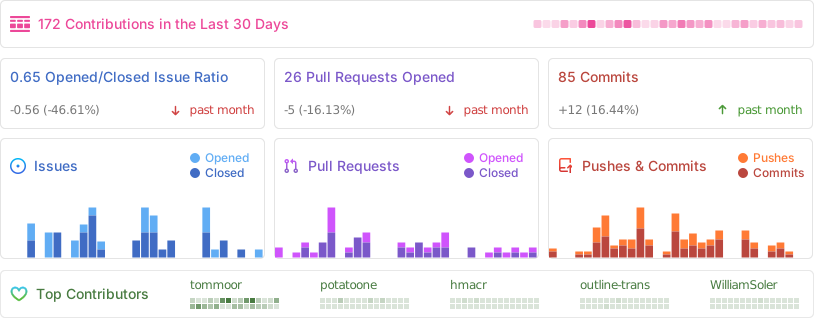
Activity
License
Outline is BSL 1.1 licensed.